
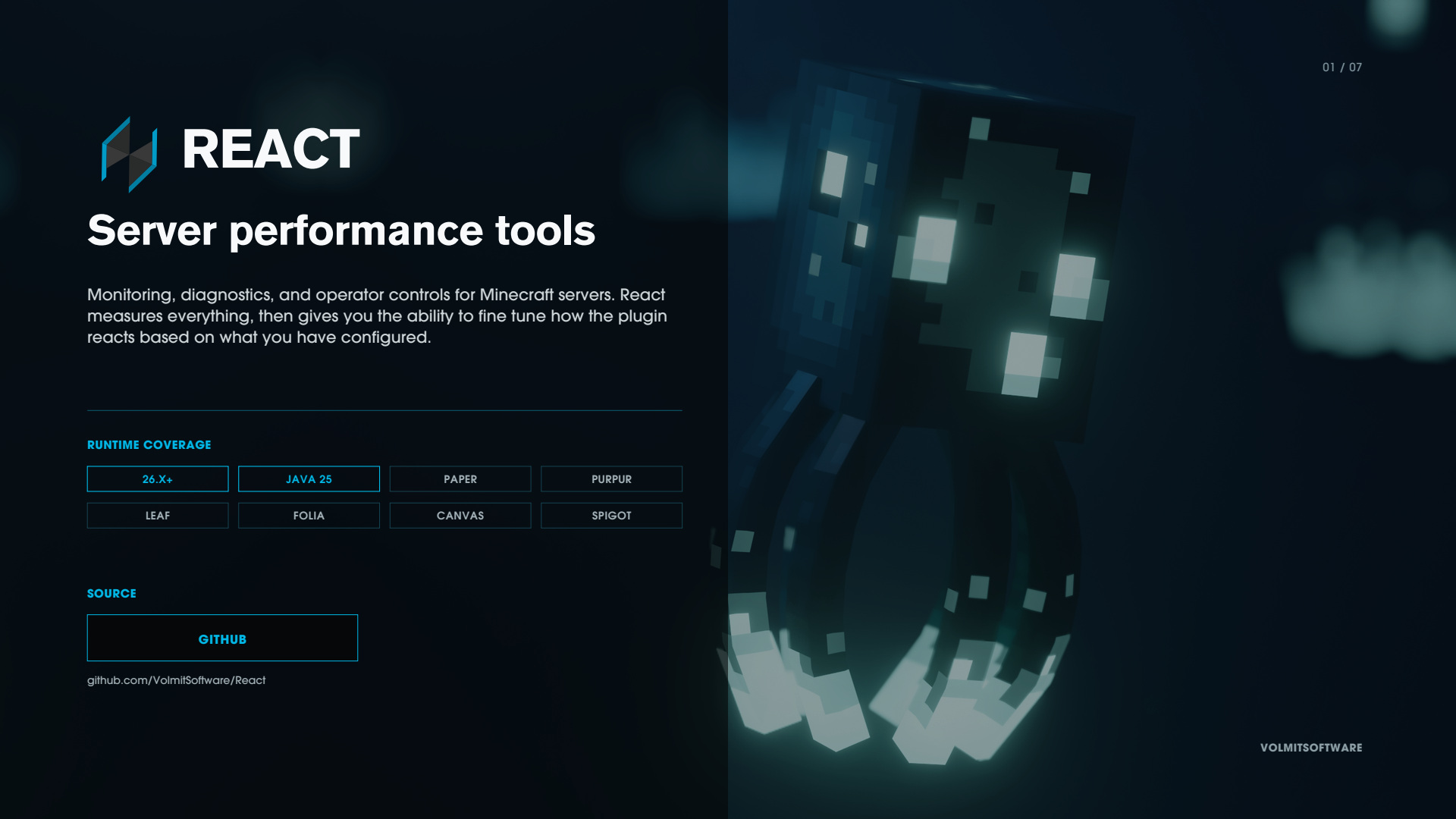
React - Smart Server Performance

GITHUB • DOCUMENTATION • DISCORD
What React actually is
React is three things that work together.
1. A measurement layer. More than 140 things about your server are measured continuously; tick timing and its percentiles, garbage collection, scheduler backlog, entities by type, chunks, hoppers, redstone, fluids, physics, player ping, and the cost of every other plugin's event handlers.
2. Controls that act on those measurements. 48 performance features and 19 tweaks, each configured independently, each reading from the same pressure signal. They scale work back when the server is under load and restores it to default behavior once the server has the ability resources.
3. Somewhere to see it. Your action bar, in-game maps and map walls, PlaceholderAPI, or an authenticated web API. Same numbers, four surfaces.
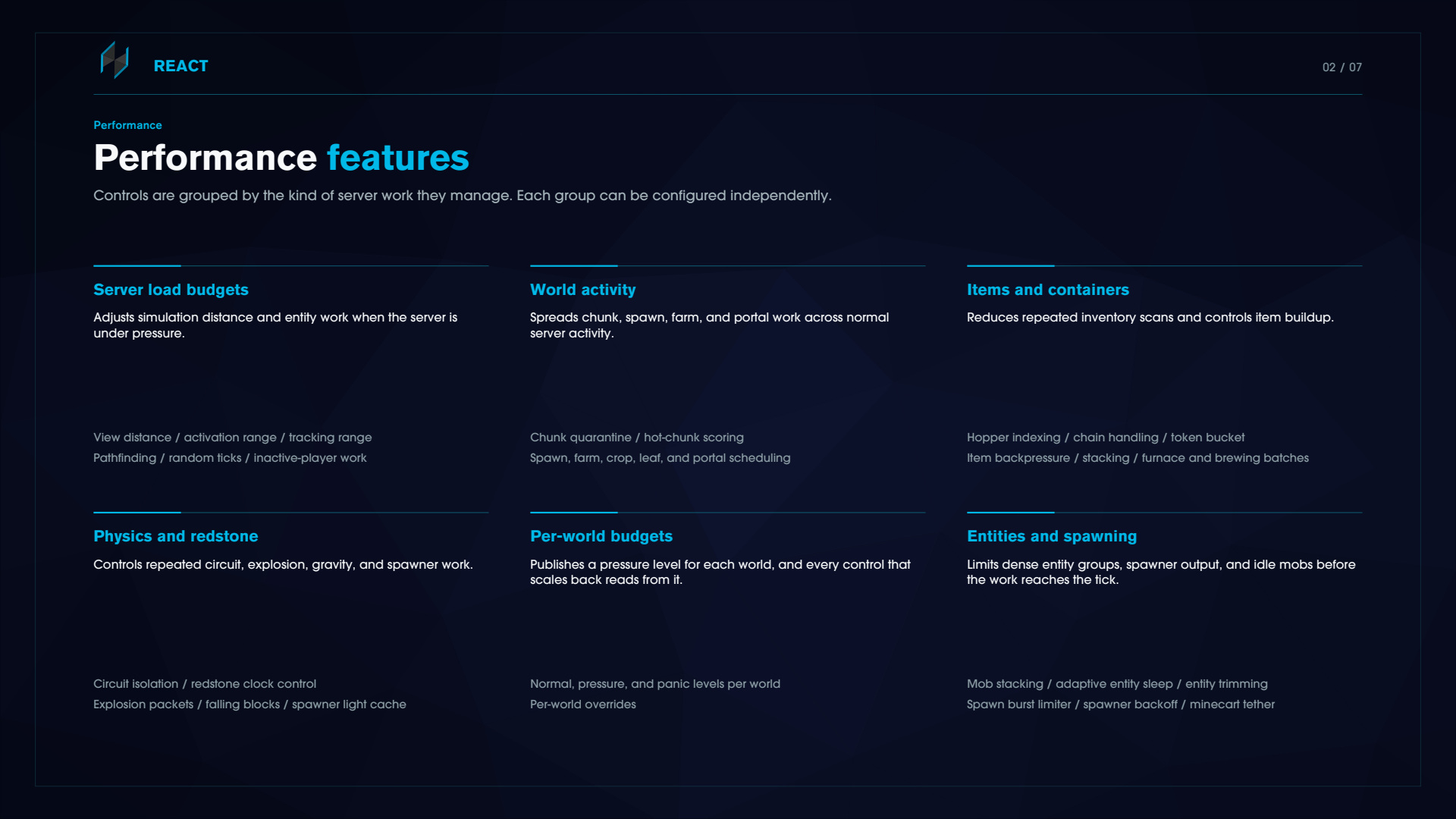
Performance features
Controls are grouped by the kind of server work they manage. Each group is configured independently.
Server load budgets
Adjusts simulation distance and entity work when the server is under pressure.
Dynamic view distance and simulation distance, with a startup warmup grace so it does not collapse your view distance while the server is booting
Activation range and tracker range governors that scale per-world ranges down under load and restore them on recovery
Pathfinder budget for mobs away from players get a smaller pathfinding search budget, so every path search costs less without changing how mobs behave
Random tick governor, AFK view shedding, per-world tick budgets
Per-world budgets
Each world gets its own NORMAL, PRESSURE or PANIC state with its own thresholds. One busy world no longer throttles the quiet ones. Pathfinding, activation ranges, entity sleep and item backpressure all read from it.
World activity
Spreads chunk, spawn, farm and portal work across normal server activity.
Chunk quarantine and hot-chunk scoring isolate the chunks actually driving tick cost
Spawn burst limiter with spawner backoff, so a limited grinder stops re-attempting and re-cancelling every cycle
Spawner light cache, farm burst smoother, portal traffic smoother
Crop fast forward, which runs only while the server is calm and catches dormant chunks up when they wake
Items and containers
Reduces repeated inventory scans and controls item buildup.
Hopper item index, React keeps a spatial index of dropped items and hopper positions and consumes items above a hopper before vanilla's per-tick entity scan runs
Idle hopper cooldown stretching under load
Hopper token bucket, item backpressure, item stacking
Furnace and brewing batching skips ticks under pressure, then fast-forwards the debt so counters catch up
Physics and redstone
Controls repeated circuit, explosion, gravity and spawner work.
Circuit isolation and a redstone clock governor for runaway clocks
Explosion packet batching for same-tick explosions merge into one packet per cluster. Damage, block breaking and knockback are unchanged
Falling block handling, fluid and snow updates
Entities and spawning
Mob stacking, entity trimming, crowd prevention
Adaptive entity sleep with AI duty cycling, mobs in the middle distance band rotate through awareness slots instead of being either fully awake or fully asleep
Minecart tether, entity hard stop
NOTE There are multiple features that are set to monitor only by default for settings we believe most players might want off, we highly encourage you to thoroughly go through the configuration files and play with the settings.
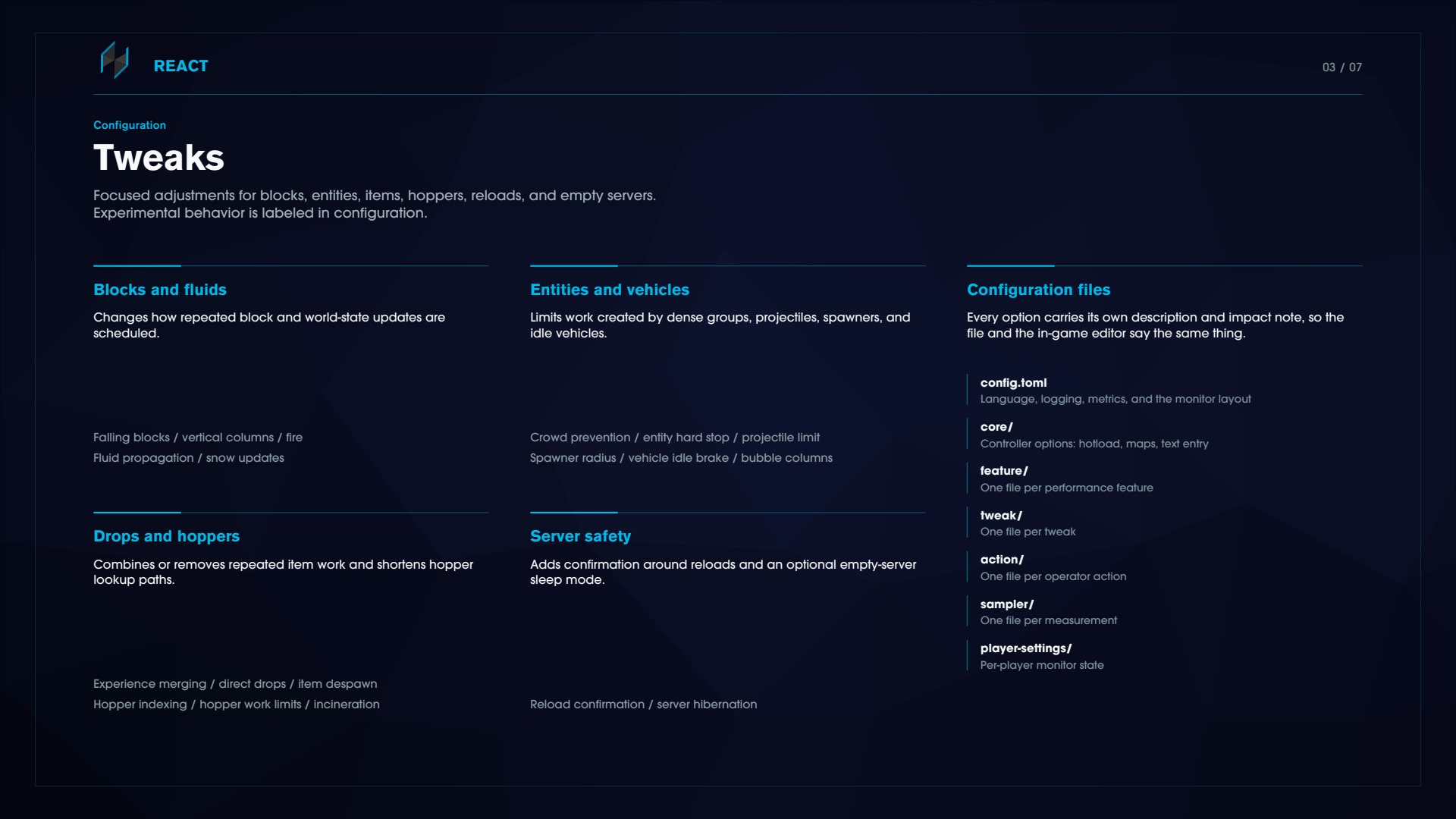
Tweaks
Focused adjustments for blocks, entities, items, hoppers and empty servers.
Blocks and fluids Falling blocks, vertical columns, fire, fluid propagation, snow updates. fast-fluids accelerates fluids using bounded extra native ticks and degrades to a passive mode if the server hook is unavailable.
Entities and vehicles Crowd prevention, entity hard stop, projectile limiter, spawner player radius, vehicle idle brake, entity bubbler.
Drops and hoppers Experience orb merging, direct drops, item despawn accelerator, hopper indexing, hopper work limits, incineration.
Server safety An optional empty-server sleep mode, behind its own explicit gate.
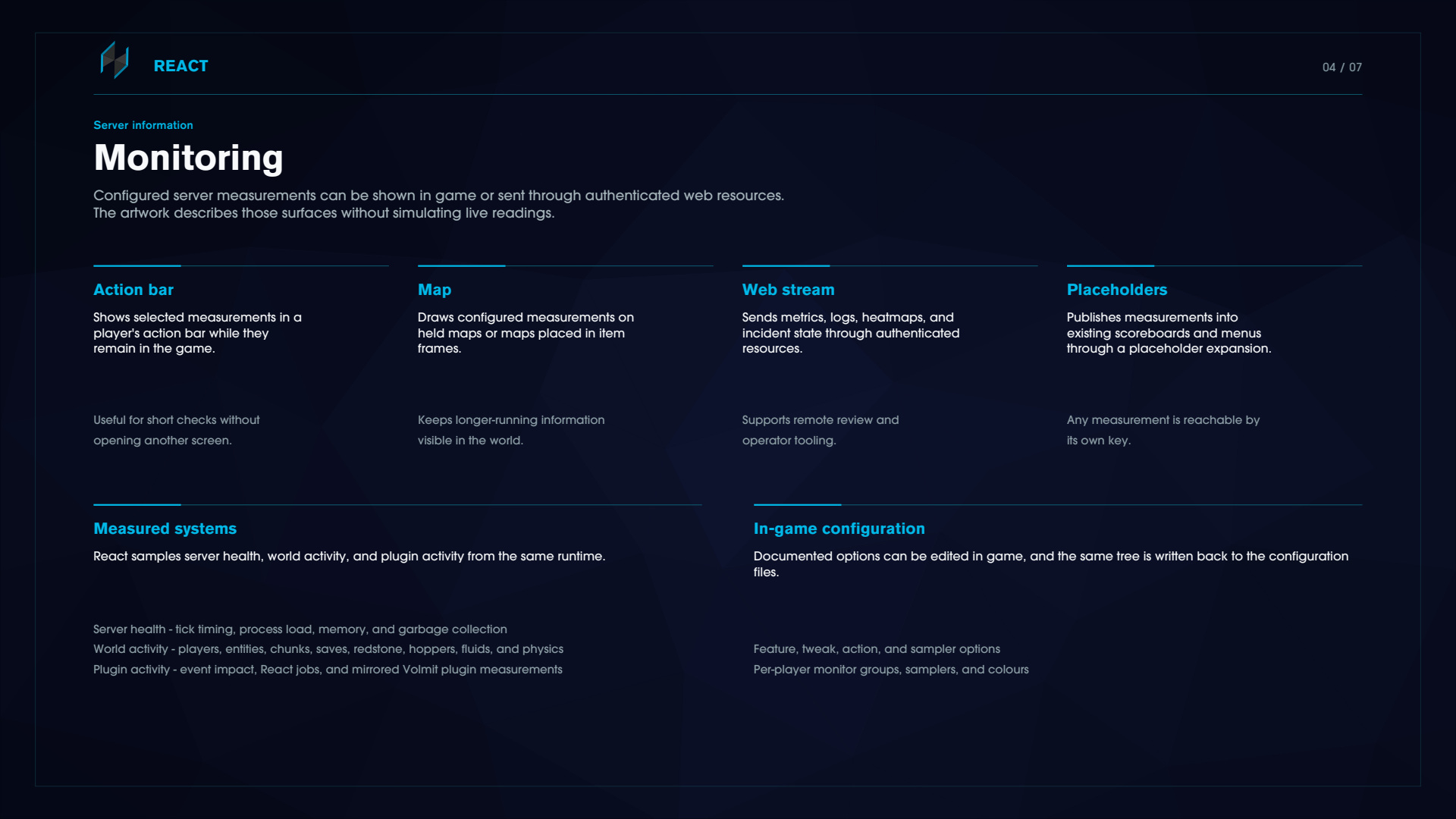
Monitoring
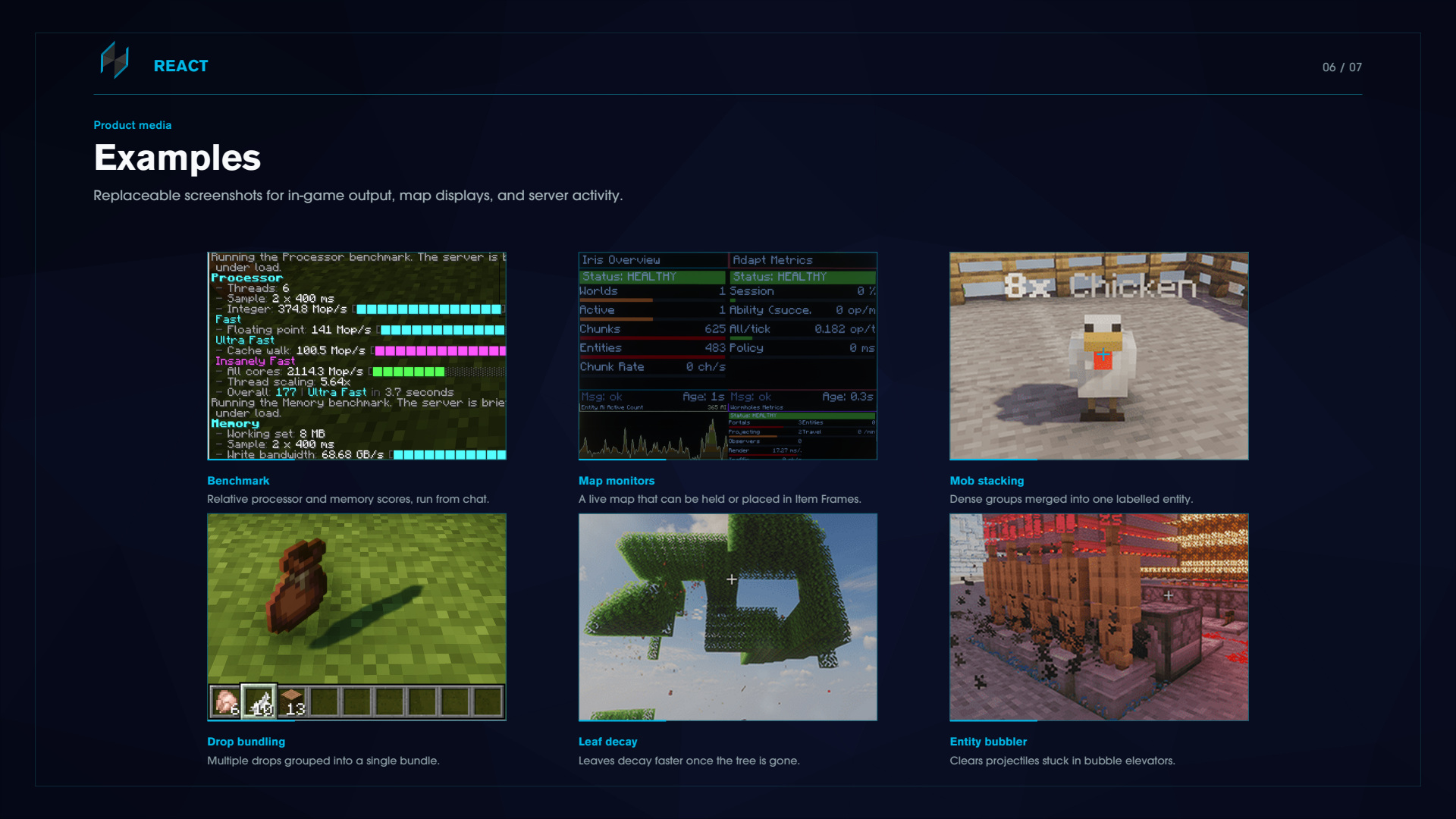
Configured server measurements can be shown in game via a held map, command output, multiple maps stacked together via item frames in a grid or through the Web API.
Action bar
/react monitor puts your chosen measurements in your action bar while you play. Sneak and scroll to change group, double-sneak to lock. React bids for the action bar alongside other Volmit plugins rather than fighting for it, and falls back to its own boss bar when it loses.
Maps
/react map draws any measurement onto a held map or a map in an item frame.
Maps survive restarts. A React map carries a token and rebinds to its renderer on chunk load and after a restart
Megamaps. Adjacent frames holding maps of the same renderer combine into one tiled display. Grids re-form live and frame rotation aligns itself
Content expands rather than zooms. A taller wall lists more rows, a wider wall adds columns, and heatmaps widen their sampled area and drop to finer cells
Wall diagnostics tell you which walls were detected, how big they are, and why one was rejected; gap, rotated frame, duplicate map, mixed maps
Placeholders
Every measurement is reachable through PlaceholderAPI as %react_sampler.<id>%, plus named shortcuts for the common ones. Requires PlaceholderAPI.
Category hubs
The map browser and the sampler picker open as categories rather than one long flat list, with an entry count on each. Categories for plugins you do not have simply do not appear.
What gets measured
Server health Tick timing and percentiles, tick spike rate, process and system load, memory, garbage collection pause and time percent, scheduler backlog
World activity Players, entities by type, chunks, block entities, saves, redstone, hoppers, fluids, physics
Plugin activity Event handler cost per plugin, React's own job queue, and live metrics from any other Volmit plugin you have installed
Diagnostics and operations
Records help identify expensive work. Operator actions provide a controlled response.
Heatmaps and overlays
There are nine: entity pressure, redstone activity, hopper and container throughput, chunk load and generation cost, chunk sampler, tick spike origin replay, player impact, plus Adapt and Iris pressure overlays.
With nothing happening you get an explicit "no activity nearby" rather than amplified noise, and one active chunk renders as mid-heat rather than maximum red.
Per-plugin cost maps
Every third-party plugin on your server gets its own map showing various information, added automatically when the plugin is enabled and removed when it's disabled. Nothing to add or change in the configuration.
Incident record
React keeps a composite incident score and reports the weighted inputs that are produced, allowing you to read it after a spike has happened.
Operator actions
purge-entities, purge-chunks, collect-garbage, quarantine-hot-chunks, trim-entities-by-age-priority, hopper-network-normalize, prewarm-critical-chunks, and incident-playbook for powerful controls over what you want to tweak.
React honours other plugins' entity protection markers everywhere it touches entities: stacking, trimming, crowd prevention, incineration, purges and quarantine. Other plugins' summons and ability markers are never merged or destroyed.
Benchmarks and environment
/react benchmark gives relative processor, memory and drive scores on a single scale where 100 is a reference machine. It runs off the main server thread. These are for comparing runs on the same machine, not for rating hardware.
/react environment info prints a full hardware report: CPU, memory, disks, network interfaces, displays, sensors. It also uploads a summary of that report (versions, CPU, memory and disk totals) to an external paste service and returns a link.
Bridge and peer health
/react bridge status shows which native hooks loaded on your server and why any of them did not.
/react integration status shows whether each detected Volmit plugin is still responding.
Self-test
/react test run exercises monitoring, map rendering, feature lifecycle, the action suite and bridge health, and outputs a report to plugins/React/test-outputs. Do NOT run this on a production server with active players.
Commands
Root command is /react, aliased /re.
Optional parameters bind by name. Values are written as name=value. Required parameters do accept a bare value. Tab completion suggests the correct form.
/react monitor                              Toggle the action-bar monitor
/react map [renderer=<id>]                  Bind a map to a measurement
/react set-player-view-distance <distance>  Set your own view distance
/react config gui                           In-game configuration editor
/react config monitor                       Edit your own monitor layout
/react chunk sample                         Readings for the chunk you are in
/react chunk worst                          Travel to the most expensive chunk
/react action purge-entities                [radius=0] [world=ALL]
/react action purge-chunks                  [world=ALL]
/react action collect-garbage
/react action quarantine-hot-chunks         [max-chunks=24] [min-score=90] [world=ALL]
/react action trim-entities-by-age-priority [max-entities=600] [min-age-seconds=300] [world=ALL]
/react action hopper-network-normalize      [max-chunks=20] [min-hopper-updates=25] [world=ALL]
/react action prewarm-critical-chunks       [max-chunks=40] [neighbor-radius=1] [world=ALL]
/react action incident-playbook             [include-gc=true] [tier=-1] [world=ALL]
/react action audit                         List available actions
/react integration status                   Peer plugin health
/react bridge status                        Native hook health
/react benchmark cpu | drive | memory | all
/react environment info
/react test run [full=true] [json=true]     Self-test with a written report
/react web pair <label> [role=admin]        Mint an access token
/react web list
/react web revoke id=<id>
/react reload
/react version
/react help [page]
Notes
purge-entities'sradiusis capped at 10 internally, so a larger number will not do what you expectMost groups and leaves have short aliases
/react action pe,/react m,/react bench all./react cresolves tochunk, notconfigboth declare that alias and chunk wins. Use/react cfgfor the config group/react helppages through the full tree with descriptions, parameter types, defaults and an example for each. All clickable.
Configuration & Permissions
Every feature of React is fully configurable and every option is documented inside the config files.
plugins/React/config.toml               Language, logging, metrics, monitor layout
plugins/React/feature/<id>.toml         One file per performance feature
plugins/React/tweak/<id>.toml           One file per tweak
plugins/React/action/<id>.toml          One file per operator action
plugins/React/sampler/<id>.toml         One file per measurement
plugins/React/player-settings/          Per-player monitor state
plugins/React/languages/overrides/      Your own language overrides
plugins/React/web.toml                  Web resource binding and access
plugins/React/web/tokens.toml           Issued web access tokens
react.use Use the /react command root op
react.* All React commands opHot reloading Edit a file, save it, and React applies it. An invalid or half-written file is rejected rather than applied, and your live configuration stays up. New options merge into your existing files on load, so an update never resets your edits.
A few options require a server restart to update (Noted in the configuration description) such as bStats metrics being on or off and changing settings for the web server.
/react config gui opens a in-game editor, featuring: Performance and Load, Entities and Mobs, Redstone and Circuits, Hoppers and Storage, World and Blocks, Diagnostics and HUD. There are one-click Off, Light, Balanced and High pre-set profiles, and an Advanced tile with the full tree if you want it.
Per-world overrides are supported to fine tune the settings even more.
Languages 17 languages are translated from the standard English default to choose from.
To switch, set language in plugins/React/config.toml
language = "en_US"
de_DE    German (Germany)
es_ES    Spanish (Spain)
fi_FI    Finnish (Finland)
fr_FR    French (France)
he_IL    Hebrew (Israel)
it_IT    Italian (Italy)
ja-JP    Japanese (Japan)
ko_KR    Korean (South Korea)
lt_LT    Lithuanian (Lithuania)
nl_NL    Dutch (Netherlands)
pl_PL    Polish (Poland)
pt_PT    Portuguese (Portugal)
ru_RU    Russian (Russia)
tr_TR    Turkish (Turkey)
vi_VI    Vietnamese (Vietnam)
zh_CN    Chinese (Simplified)
zh_TW    Chinese (Traditional)
Web API
Off by default Turn it on in plugins/React/web.toml and it binds to 127.0.0.1:9696. Enabling it, and changing the port need a server restart to take affect.
It serves authenticated resources for metrics, logs, heatmaps, incidents, features, tweaks, configuration, worlds and actions, plus live metric and log streams.
Access is by token, minted in game:
/react web pair <label> [role=viewer|operator|admin]
Three roles: viewer reads, operator can execute, admin can run destructive actions and write global configuration. Tokens work immediately, no restart. Destructive actions need both the admin role and an explicit confirmation.
Read this before you expose it.
The default role is
admin. Running/react web pair serverwith no role will by set to admin. Always passrole=viewerunless you mean otherwiseTLS is not implemented
web.tomlhas TLS keys in it, but setting them does not encrypt the listener. If you need it reachable off the host, put it behind a reverse proxy that terminates TLSAn empty
corsOriginsmeans any origin is allowed. Combined with the token requirement that is survivable, but set it if you care
Remote action runs and token issue or revocation are written to an append-only audit log.
Other Volmit plugins
All of Volmits plugins support React, allowing for additional hooks and monitoring that you wouldn't normally get by default.
Iris 18 dashboards covering generation, engine, lifecycle, cache and pregeneration signals, plus biome and world chunk-share maps and a generation pressure overlay
Adapt Ability ops, session load, policy latency, and a map ranking active abilities by measured cost
Wormholes Portals, projections, observers, render time, traffic and mesh peers
HoloUi, HiddenOre, BileTools First-time metric catalogues, each with its own dashboard map
Each gets its own category in the map hub, and they only appear once the plugin is actually installed and healthy.
Compatibility
React supports Paper, Purpur, Leaf, Folia, Canvas, Spigot on Java 25
Folia is properly implemented, not just declared. Work is dispatched to the region, entity or global scheduler that owns it, ownership is checked before a monitor writes, and map walls, frame scans and inventory repair all run on the correct region thread.
Leaf & Purpur is supported as a Paper fork.
Spigot is supported, however a few features will not work without having one of the other Server Jars such as dynamic view distance, AFK view shedding and the Shorthand tweaks.
/react bridge status tells you exactly which hooks resolved and which did not, so a fallback is visible rather than silent.
¿Listo para crear algo increíble?
Únete a la comunidad de MCModels y empieza a construir tus proyectos soñados hoy.
