
อาจารย์ฮอโลกราฟิกของเซิร์ฟเวอร์คุณ
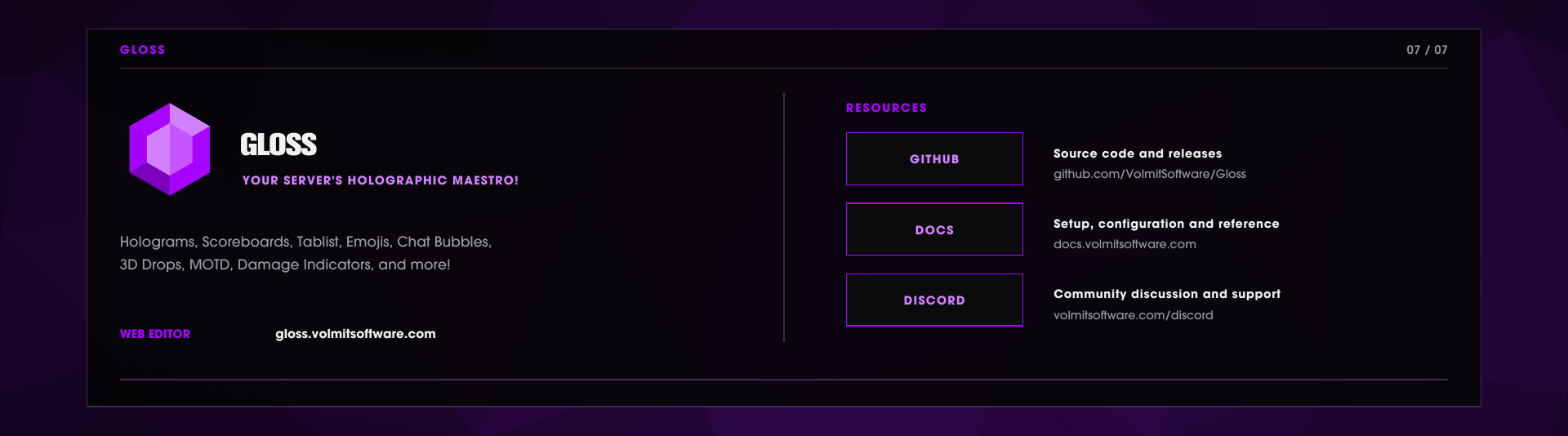
WEB EDITOR • GITHUB • DOCUMENTATION • DISCORD
Overview - what Gloss does
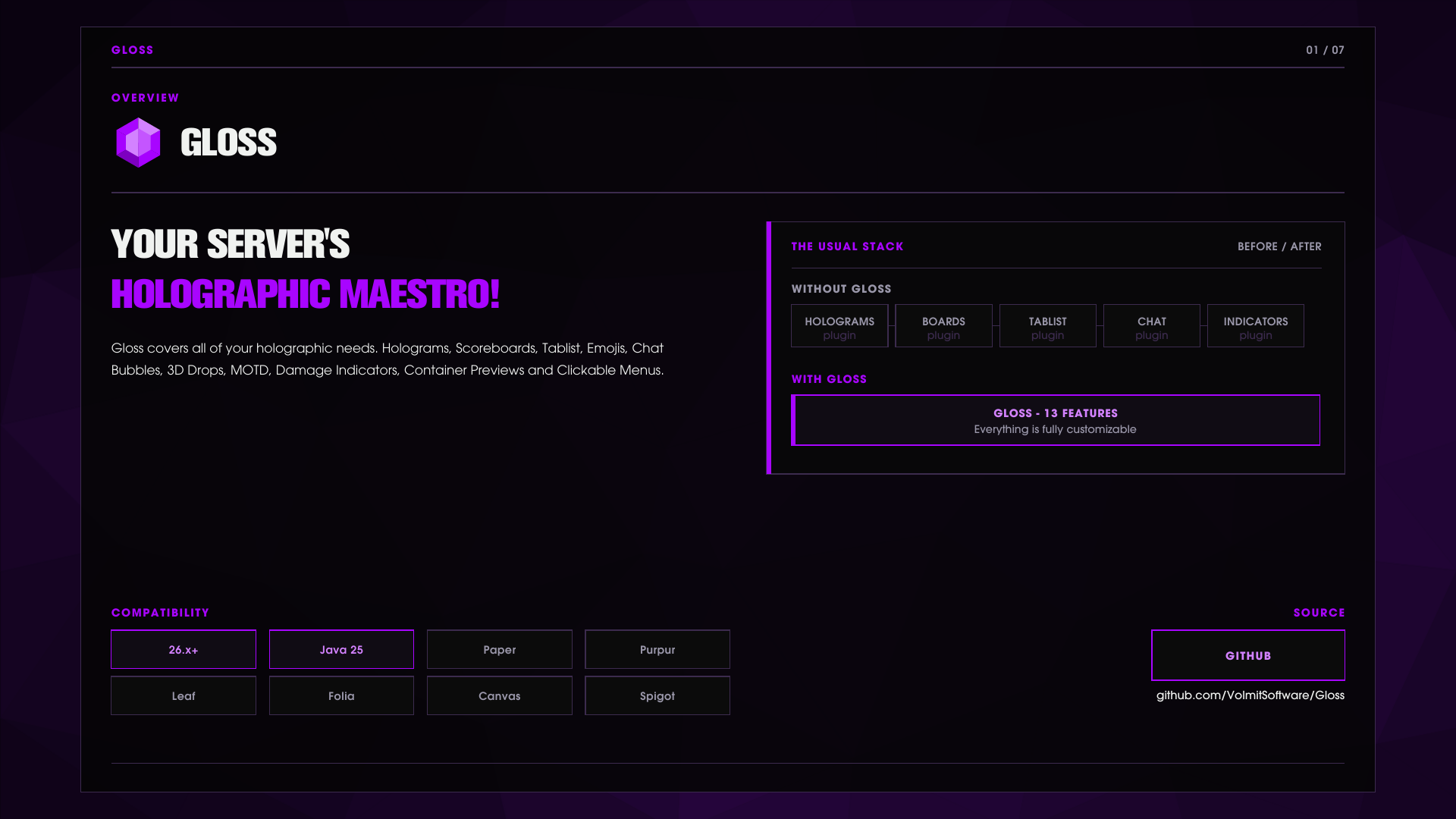
Gloss is a overall Hologram and UI display suite. It's one plugin that replaces most of your other plugins such as MOTDs, Scoreboards, Tablist, Emojis and more.
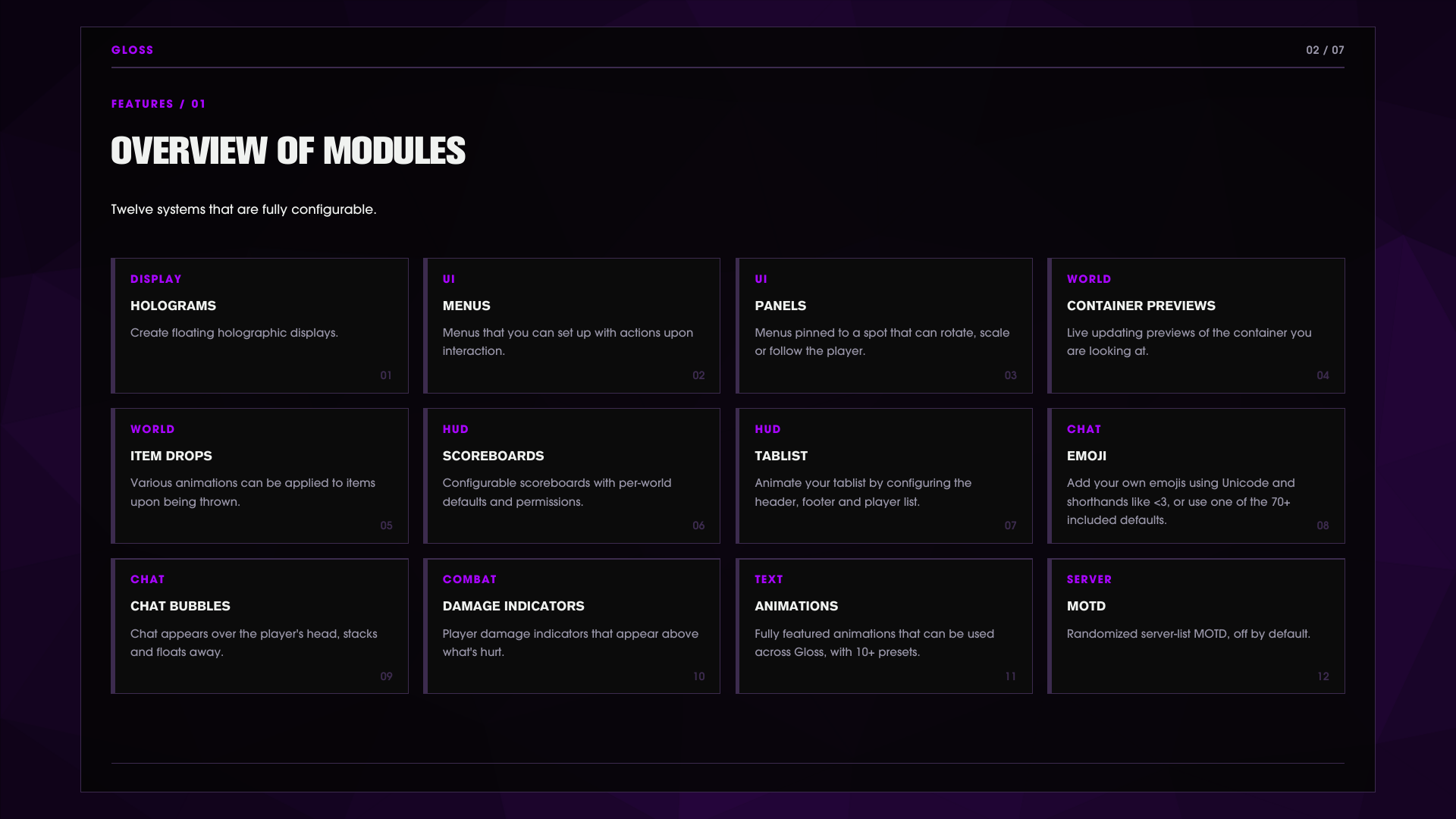
Holograms TextDisplay-based floating text with per-player placeholder rendering, hotloadable JSON files, text-to-block-art rendering and full command management.
Holographic menus Clickable in-world UI with buttons, toggles, page navigation, hover animations and icons drawn from items, blocks, entities, player heads, images or custom-item plugins.
World panels Persistent world-anchored menus you can position, rotate, scale, align and even attach to a player.
Container previews Look at a chest, furnace, brewing stand, hopper or ten other containers and a holographic card renders its live contents.
Real drops Dropped items become grounded, tumbling display models with floating labels, optional real physics (bounce, buoyancy) and a scriptable animation layer.
Scoreboards JSON-defined sidebars with primary/world defaults, permission-gated boards and per-group defaults.
Tablist Configurable header/footer and per-group player list names.
Emoji
:emoji:and trigger replacement in chat with tab completion and per-emoji permissions with 71 pre-built, you can easily add more.Chat bubbles Messages float above the speaker's head, stack, and fly away as they expire, with per-world and per-group styles.
Damage indicators Floating damage and heal numbers with ballistic motion, measured from actual applied health deltas.
Animations Frame-based text animations usable in any hologram, board or tablist line via |animation.<id>|.
MOTD Randomized, color-filtered server list MOTD (off by default).
Everything is fully configurable in Gloss and you have the Web Editor to easily preview your changes with dozens of randomized outputs to help you pick out something that works for you. All configuration changes are hotloaded as soon as the file is saved or changes are pushed from the Web Editor to your server.
Web editor - build menus and panels in your browser
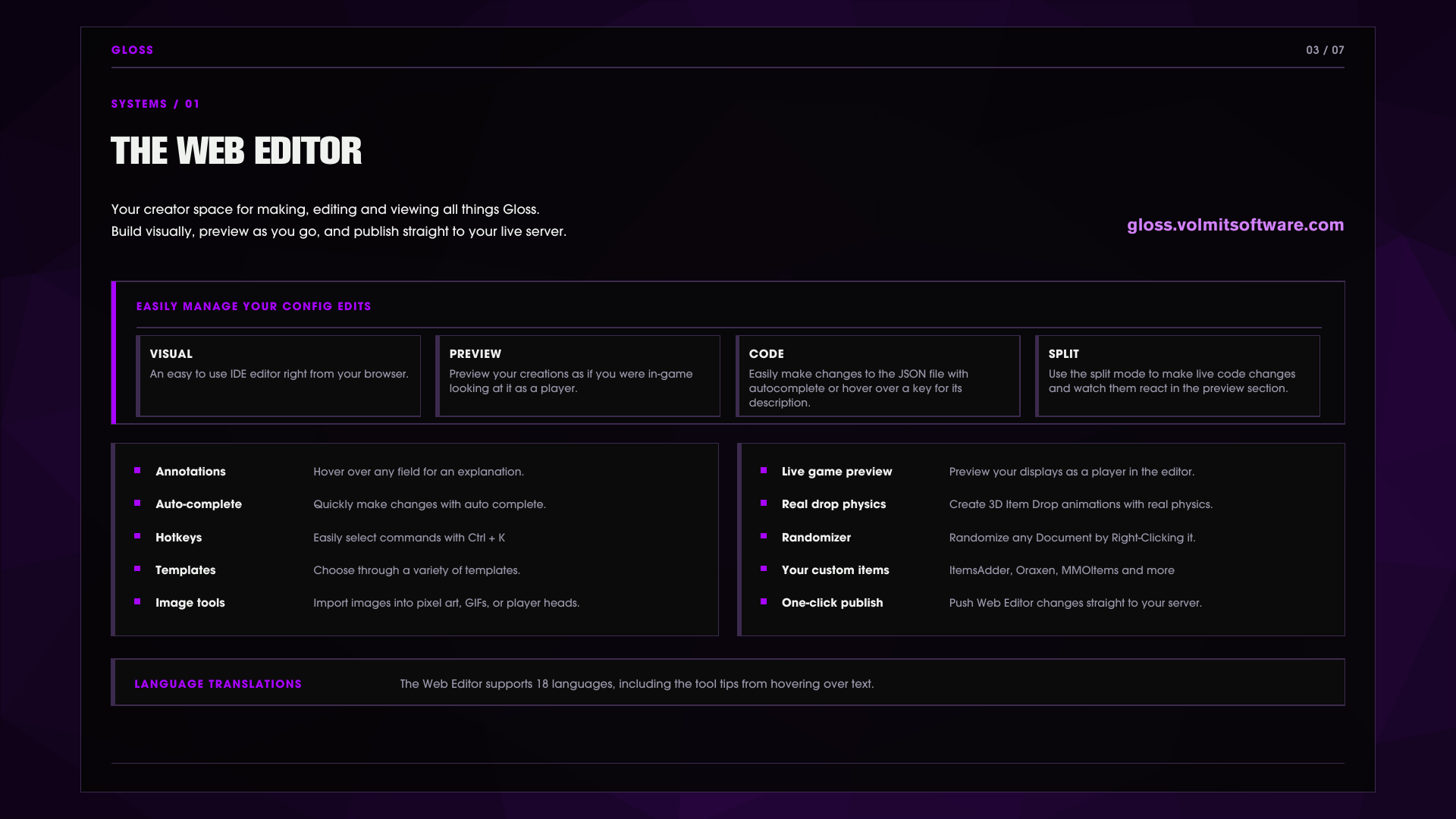
Check out the Web Editor to easily create your menus at: gloss.volmitsoftware.com. You lay out menus, panels, drop animation scripts, container previews visually and much more, with a live preview.
Live two-way sync Run /gloss menu edit <menu> or /gloss panel web <panel> and Gloss hands you a clickable link that opens the document in the editor. Publish from the browser and the server pulls the change within seconds, validates it, and writes it through an atomic transaction with an automatic backup of what was there before.
/gloss sync list      Active editor sessions
/gloss sync status     Relay and session state
/gloss sync pull       Poll the relay now
/gloss sync revoke     Kill a session immediately
Your custom items, in the editor /gloss items export writes custom-items.json so the editor can browse every ItemsAdder, Oraxen, Nexo, MMOItems, Slimefun and more on your server while you build.
Sessions are guarded Sync sessions expire (60 minutes by default), are size-capped and detect revision conflicts so two editors cannot silently overwrite each other.
Everything the editor writes is plain JSON in your plugins folder. You can always just edit the files by hand or through the split view through the web editor.
Commands and permissions
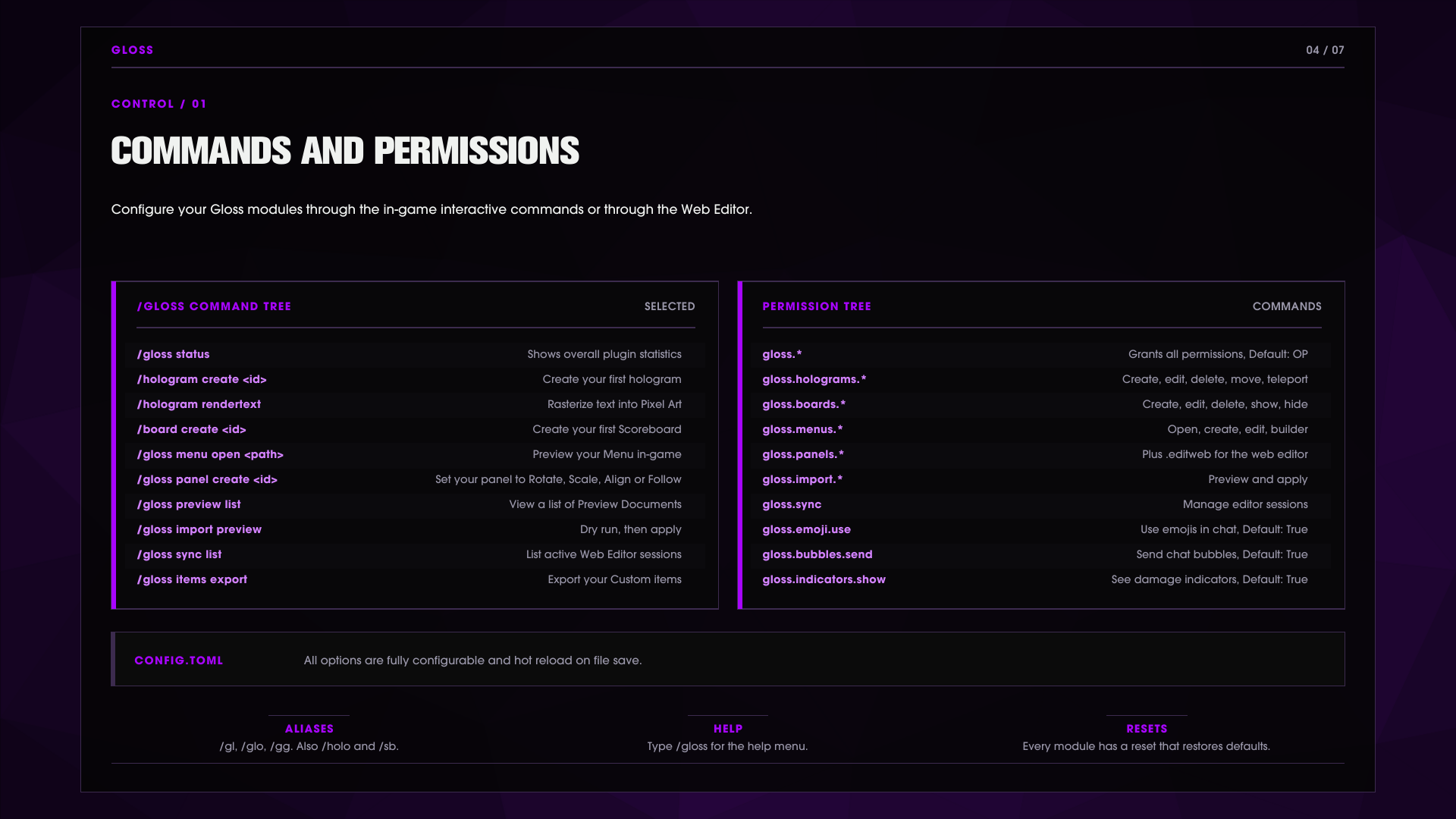
Main command is /gloss. Aliases /gl, /glo, /gg
Additional Aliases: /hologram, /holo, /h, /board, /sb, /bd
/gloss status                               Shows everything that is loaded.

/hologram create|delete|list|info              Manage holograms
/hologram addline|setline|removeline|clear
/hologram move|movehere|tp|orient              Position and facing
/hologram rendertext                             Rasterize text into block-art lines

/board create|delete|title                       Manage sidebars
/board addline|setline|removeline
/board show|hide|primary|permission|reset

/gloss menu list|create|open|edit|builder|new|copy
/gloss menu addrow|insertrow|setrow|removerow|offsetrow|seticon|style|image

/gloss panel create|delete|list|near|info|rename|copy
/gloss panel move|here|tp|rotate|scale|align|follow|unfollow
/gloss panel ranges|visibility|permissions|edit|web|save|cancel

/gloss preview list|reset|dump                  Container preview documents
/gloss item status|export                       Custom item providers / editor export
/gloss sync list|status|revoke|pull             Editor sync sessions
/gloss import preview|apply|holoui|legacy
/gloss emoji list|reset                          Click an emoji to insert it into chat
/gloss animations list|reset
/gloss bubbles style|reset                          Pick your personal bubble style
/gloss tablist reset /gloss motd reset /gloss drops reset
Running /gloss on its own opens a paginated hover-and-click help menu. List entries are clickable, click a hologram to teleport to it, click an emoji to insert it. Tab completion works everywhere.
Permissions follow the command tree. Everything hangs under gloss.* (default: op):
gloss.*                     Parent of every node below. Grants the whole plugin.
gloss.admin                  Reset subcommands: emoji, animations, bubbles, tablist, motd, drops

gloss.holograms              Parent of the five hologram nodes. Base access to /hologram
gloss.holograms.create       Create holograms and add lines
gloss.holograms.edit         Edit lines, rename, rendertext
gloss.holograms.delete       Delete holograms
gloss.holograms.move        Move, movehere, orient
gloss.holograms.teleport     Teleport to a hologram

gloss.boards                 Parent of the five board nodes. Base access to /board
gloss.boards.create          Create sidebars
gloss.boards.edit            Title, addline, setline, removeline
gloss.boards.delete          Delete sidebars
gloss.boards.show            Show a board to yourself or others
gloss.boards.hide            Hide a board

gloss.menus                  Parent of the eight menu nodes. Base access to /gloss menu
gloss.menus.list             List menu documents
gloss.menus.open             Open a menu
gloss.menus.close            Close an open menu
gloss.menus.move             Reposition an open menu
gloss.menus.back             Navigate the page stack
gloss.menus.create           Create new menu documents
gloss.menus.edit             Edit rows, icons, styles, images
gloss.menus.builder          The in-game menu builder

gloss.panels                 Parent of the panel nodes. Create, move, rotate, scale, align, follow
gloss.panels.editweb         Open a panel in the web editor (/gloss panel web)

gloss.preview                See container previews and adjust their scale
gloss.sync                   Manage web editor sync sessions (list, status, pull, revoke)
gloss.import                 Parent of the import nodes. Dry-run previews (/gloss import preview)
gloss.import.apply           Actually apply an import
gloss.emoji.use             Use emoji in chat                      default: true
gloss.bubbles.send          Your chat renders as bubbles             default: true
gloss.indicators.show       See damage and heal indicators          default: true
gloss.chat.color            Use color codes in chat                  default: op
gloss.bubbles.style         Pick a personal bubble style              default: op
Every node is default: op unless marked otherwise. Granting a parent (gloss.menus) grants its children; the three player-facing nodes are on for everyone out of the box.
Configuration
Everything is Gloss is configurable and all options hotload upon save, no need to reload your changes.
# Configuration - gloss
# This file is canonicalized on load; comments and new keys may update automatically.
#
# Gloss runtime configuration. Every knob is emitted with a comment,
# values outside their documented range are clamped back on load,
# and edits hot-reload while the server runs.

# Prints the Gloss splash screen during startup.
splashScreen = true
# Sends anonymous bStats usage metrics.
metrics = true

# Settings for Features.
[features]
# Enables the hologram engine.
holograms = true
# Enables scoreboard sidebars.
boards = true
# Enables tablist header/footer and list-name management.
tablist = true
# Enables emoji replacement in chat and content.
emoji = true
# Enables text animations.
animations = true
# Enables chat bubbles above players.
chatBubbles = true
# Enables floating damage and heal indicators.
damageIndicators = true
# Enables custom names on dropped item stacks.
drops = true
# Replaces vanilla dropped-item rendering with grounded,
# tumbling display models and display-backed labels.
realDrops = true
# Enables holographic menus.
menus = true
# Enables world-anchored panels.
panels = true
# Enables look-at container previews.
previews = true
# Enables the custom server list MOTD.
motd = false

# Settings for Hotload.
[hotload]
# Ticks between polls of watched files for hot reloading. Clamped to 1..200.
watchIntervalTicks = 5

# Settings for Holograms.
[holograms]
# Vertical distance in blocks between stacked hologram lines. Clamped to 0.05..2.0.
stackDistance = 0.26
# Ticks between hologram text refreshes. Clamped to 1..200.
updateIntervalTicks = 10
# Distance in blocks at which holograms become visible. Clamped to 4..128.
viewRange = 48.0
# Renders complete placeholder, function and expression tokens
# per viewing player instead of once globally.
perViewerPlaceholders = true
# Ticks between refreshes of temporary holograms. Clamped to 1..20.
temporaryUpdateIntervalTicks = 2
# Uses client-side Display interpolation for moving temporary holograms,
# falling back to teleports when the server API lacks it.
interpolatedMotion = true
# Drives fast animated hologram lines from a dedicated async thread instead of the tick updater.
highFrequencyAnimations = true
# Maximum frames per second the high-frequency animation thread targets. Clamped to 1..240.
maxAnimationFps = 120
# Animation text packets per second allowed across each animated
# display's audience; large audiences degrade frame rate proportionally. Clamped to 100..1000000.
animationPacketBudget = 20000
# Maximum width in characters for rendered text art. Clamped to 8..128.
textArtMaxWidth = 48

# Settings for Boards.
[boards]
# Ticks between scoreboard refreshes. Clamped to 1..200.
updateIntervalTicks = 20

# Settings for Tablist.
[tablist]
# Ticks between tablist refreshes. Clamped to 1..400.
updateIntervalTicks = 40

# Settings for Groups.
[groups]
# Resolves player groups through Vault when it is installed.
useVault = true

# Settings for Emoji.
[emoji]
# Requires a per-emoji permission instead of the global emoji permission.
emojiSpecificPermissions = false
# Offers emoji triggers in chat tab completion.
tabComplete = true

# Settings for Text.
[text]
# Resolves PlaceholderAPI placeholders in rendered text.
placeholders = true
# Resolves |function| expressions in rendered text.
functions = true

# Settings for Chat.
[chat]
# Translates color codes in player chat for permitted players.
color = true

# Settings for Chat bubbles.
[chatBubbles]
# World folder names where chat bubbles never appear.
blacklistWorlds = []

# Settings for Damage indicators.
[damageIndicators]
# Random sideways force applied to spawned indicators. Clamped to 0.0..2.0.
randomThrowForce = 0.08
# Initial upward force applied to spawned indicators. Clamped to 0.0..2.0.
initialUpForce = 0.13
# Gravity pull applied to indicators each tick. Clamped to 0.0..1.0.
gravityFactor = 0.0093
# Maximum indicators spawned per second before new ones are dropped. Clamped to 1..1000.
maxPerSecond = 40
# Milliseconds an indicator stays alive. Clamped to 250..30000.
maxMsAlive = 3000
# Color-code prefix applied to damage numbers.
damagePrefix = "&c&l"
# Color-code prefix applied to heal numbers.
healPrefix = "&a&l"
# Decimal places shown on indicator numbers. Clamped to 0..2.
decimals = 0
# Shows heal indicators in addition to damage indicators.
showHeals = true

# Settings for Drops.
[drops]
# Name format for dropped item stacks; {count} and {type} are replaced.
nameFormat = "&7{count}x {type}"
# Name format for dropped bundles that carry stacks; {total}
# and {contents} are replaced. Empty bundles use nameFormat.
bundleFormat = "&7Bundle &8(&7{total} items&8): &7{contents}"
# Bundle content entries listed before the rest collapse into a +N more suffix. Clamped to 1..10.
bundleEntryLimit = 3
# Uses a vertical TextDisplay label for bundles while realDrops is enabled.
bundleVerticalLabels = true
# Header format for vertical bundle labels; {total} is replaced.
bundleHeaderFormat = "&eBundle &8(&e{total} items&8)"
# Entry format for vertical bundle labels; {count} and {type} are replaced.
bundleEntryFormat = "&7- &f{count}x {type}"
# Remainder format for vertical bundle labels; {remaining} is replaced with
# the hidden material count.
bundleMoreFormat = "&8+{remaining} more"
# Leaves custom names other plugins already set on dropped items untouched.
preserveCustomNames = true
# Uses an item's display name from its item meta as {type} instead of the material name.
useItemDisplayNames = true

# Settings for Commands.
[commands]
# Plays feedback sounds when command output is delivered.
sounds = true

# Settings for Debug.
[debug]
# Renders menu hitbox debug outlines for all sessions.
hitbox = false
# Renders menu position debug markers for all sessions.
position = false
# Logs high-frequency animator loop statistics every 10 seconds.
animator = false

# Settings for Editor.
[editor]
# Base URL of the hosted web editor; must be a plain http(s) link or the default is used.
builderUrl = "https://gloss.volmitsoftware.com"

# Settings for Sync.
[editor.sync]
# Enables live editor sync sessions through the relay.
enabled = true
# Relay endpoint URL; must be https (or loopback http) ending in /v2 or the default is used.
endpoint = "https://sync.gloss.volmitsoftware.com/v2"
# Relay session creation token of 22..128 characters from A-Z, a-z,
# 0-9, _ and -; anything else is treated as empty.
createToken = ""
# Minutes an editor sync session stays alive. Clamped to 5..1440.
sessionMinutes = 60
# Seconds between relay polls during an active session. Clamped to 1..60.
pollSeconds = 3
# Maximum editor sync project size in mebibytes. Clamped to 1..32.
maxProjectMiB = 8

# Settings for Preview.
[preview]
# Distance in blocks the look-at raycast reaches for container previews. Clamped to 1.0..24.0.
lookDistance = 10.0
# Base render scale of container previews. Clamped to 0.25..4.0.
scale = 0.65

# Settings for Menus.
[menus]
# Global render scale multiplier for holographic menus and panels. Clamped to 0.25..4.0.
uiScale = 1.0

# Settings for Items.
[items]
# Enables custom item icons resolved through installed item plugins.
customItems = true
# Item provider allowlist by provider or plugin name; an empty list allows every provider.
customItemProviders = []

# Settings for Integration.
[integration]
# Ticks between samples of the metrics other Volmit plugins publish for
# |metric.<key>| and preview variables. Clamped to 1..200.
sampleIntervalTicks = 20
Languages 17 languages are translated from the standard English default to choose from.
To switch, set language in plugins/Gloss/language.yml
locale: en_US
de_DE    German (Germany)
es_ES    Spanish (Spain)
fi_FI    Finnish (Finland)
fr_FR    French (France)
he_IL    Hebrew (Israel)
it_IT    Italian (Italy)
ja-JP    Japanese (Japan)
ko_KR    Korean (South Korea)
lt_LT    Lithuanian (Lithuania)
nl_NL    Dutch (Netherlands)
pl_PL    Polish (Poland)
pt_PT    Portuguese (Portugal)
ru_RU    Russian (Russia)
tr_TR    Turkish (Turkey)
vi_VI    Vietnamese (Vietnam)
zh_CN    Chinese (Simplified)
zh_TW    Chinese (Traditional)
Menus and Clickable UI
Menus are created and managed with the /gloss menu command and the files are stored in plugins/Gloss/menus
Components Buttons, toggles and decorations, each with its own hitbox.
Icons Text, images, animated images, items, blocks, entities, player heads, or any item from a custom-item plugin (provider auto-detected).
Actions Run a command, play a sound, send a message, teleport, or navigate the menu with pages (push, replace, back, home, close).
Click triggers Left, right, shift-left, shift-right.
Hover animation With easing curves and configurable duration.
Behaviors lockPosition, followPlayer, maxDistance, closeOnDeath, closeOnTeleport.
Panels are menus anchored in the world: position, rotate (yaw, pitch, roll) and scale them, use ~relative coordinates, align one panel to another, set view and interaction ranges, gate visibility behind permissions, or have a panel follow a player with fixed, yaw or full rotation.
Container Previews
Fully configurable container previews. You can double shift to save the size of the container, or hold shift + scroll wheel to set the size of the container (Scroll down to 0% to toggle it off, persistent per player settings).
There are Fourteen pre-set container types: chest, ender chest, furnace, brewing stand, hopper, dispenser, cauldron, beehive, jukebox, chiseled bookshelf, shelf, minecart, locked-container card and shulker boxes.
Cards show live values furnace cook and fuel progress, brewing time, banked XP, occupancy and much more. Easily modify the presets or create your own with the Web Editor.
WorldGuard Container restricted access checks to ensure players can't snoop into containers they do not have permission to.
Real drops physics and scripting
Dropped items become more realistic, they can tumble through the air, land on a resting face and settle, glow and so much more.
You can modify these settings in plugins/Gloss/real-drops/default.json or modify them with our Web Editor.
limits Update cadence, visuals per stack, a per-chunk entity budget
motion Tumble speed, per-axis spin, bounce-driven direction changes, submerged spin damping, ground roll.
landing NATURAL, FLAT or UPRIGHT, with tilt, random yaw and face attraction.
labels Offset, scale, view range, billboard mode, background color.
physics Real entity physics: gravity multiplier, bounce, water buoyancy and drag. These move the actual item, not just the picture.
script An expression layer that animates the visual: offset, rotation, scale, glow and visibility per axis, with variables like t, phase, impactSpeed, inWater, blockLight and a per-item stable random.
animation Typed keyframe clips triggered by state (SPAWN, IMPACT, BOUNCE, ENTER_FLUID, SETTLE...) with easing and blend modes.
Chat bubbles, damage indicators, emoji motd, tablist, and animations
Chat bubbles Chat floats above the players head, stacks, and flies away as it expires. Styles support expression-driven motion (translation, scale, rotation, opacity), word wrap, a shimmer sweep on spawn, hideOwn, world blacklists, and selection by world and Vault group with priorities. Players with permission pick a personal style via /gloss bubbles style.
Damage indicators Floating damage and heal numbers with ballistic motion that is realistic.
Emojis 71 default emoji with :name: and trigger replacement type <3 and it becomes a heart. Tab completion in chat, optional per-emoji permissions, and /gloss emoji list entries insert into chat on click.
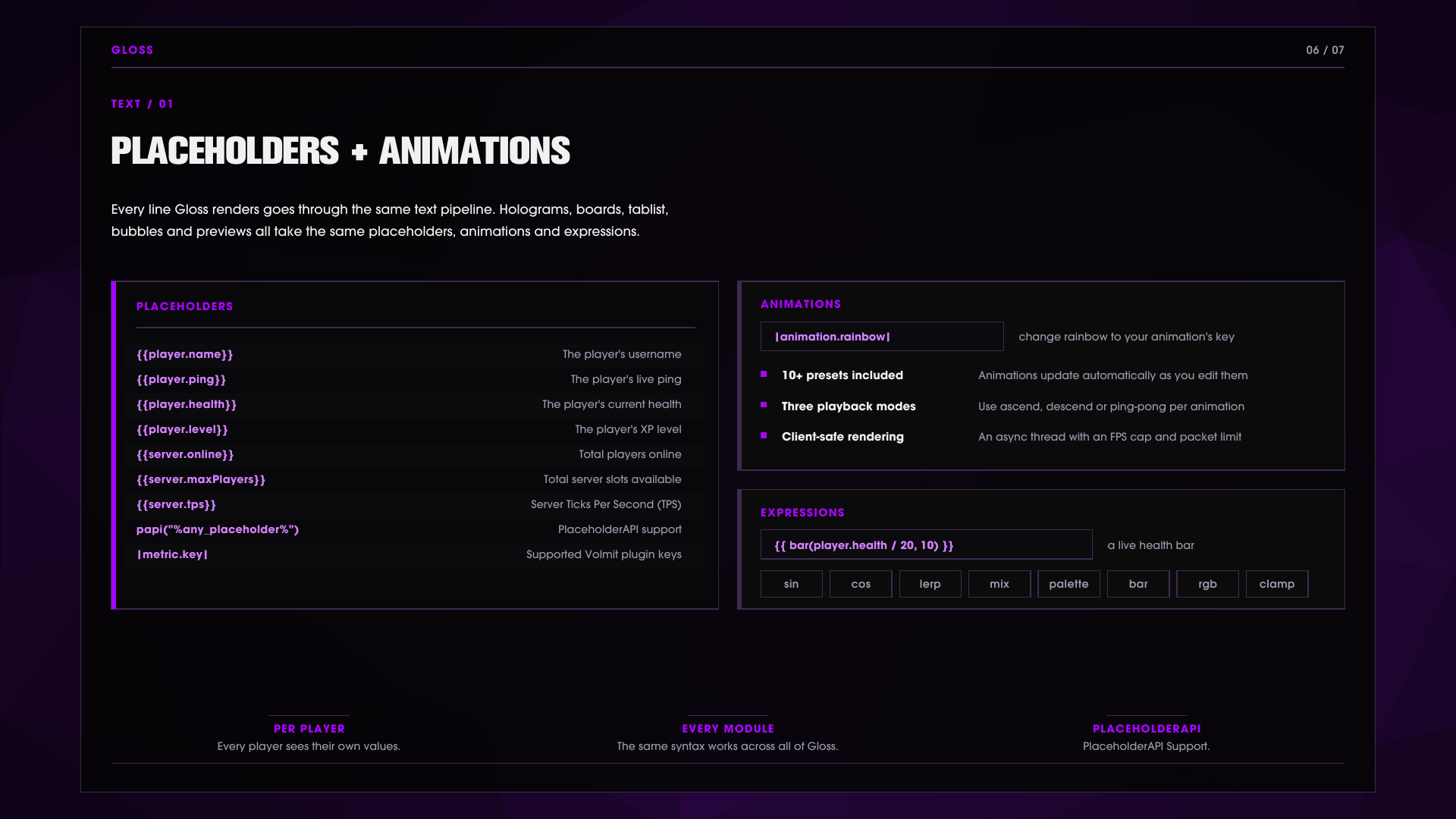
Animations Frame-based text animations with ascend, descend or ping-pong playback and per-frame interval. Use them in any rendered line as |animation.rainbow|.
MOTD Customize your MOTD to cycle through multiple MOTDs or keep it a static design.
Tablist The tablist supports every aspect of Gloss, customize it to your desire!
Placeholders and expressions
Every rendered line holograms, boards, tablist, bubbles, previews supports bounded {{ ... }} expressions with native player.* and server.* values (name, ping, health, level, online, maxPlayers, tps).
PlaceholderAPI is optional and fully supported with the following Gloss placeholders available:
%gloss_available%            Shows if Gloss is available
%gloss_menu.open%            Shows if the menu is open
%gloss_menu.id%              Shows the current menu ID
The expression library is shared across holograms, bubbles, previews and drops: clamp, lerp, smoothstep, sin, cos, rgb, mix, palette, bar, select and more, plus color like #FFAA55 and a full operator set with ternaries.
Developer API
Gloss has an available API that you can hook into, please refer to our documentation for more information.
GlossAPI api = GlossAPI.get();
api.open(myPlugin, player, "shop/main");            // open a menu
api.createHologram("welcome", location);          // manage holograms
api.createTemporaryHologram("popup", loc, 3000);    // timed hologram
api.filter(player, raw);                             // run any string through the text pipeline
api.setBoard(player, "arena");  api.setTab(player, header, footer);
Plus a fluent menu builder (buttons, decorations, icons from text, item, block, entity, image or animated image), click handlers with triggers and close reasons, a PreviewStateProvider extension point to feed your own variables into container preview cards, and three events: GlossMenuOpenEvent, GlossMenuClickEvent, GlossContainerPreviewAccessEvent.
Compatibility - runtimes and Java
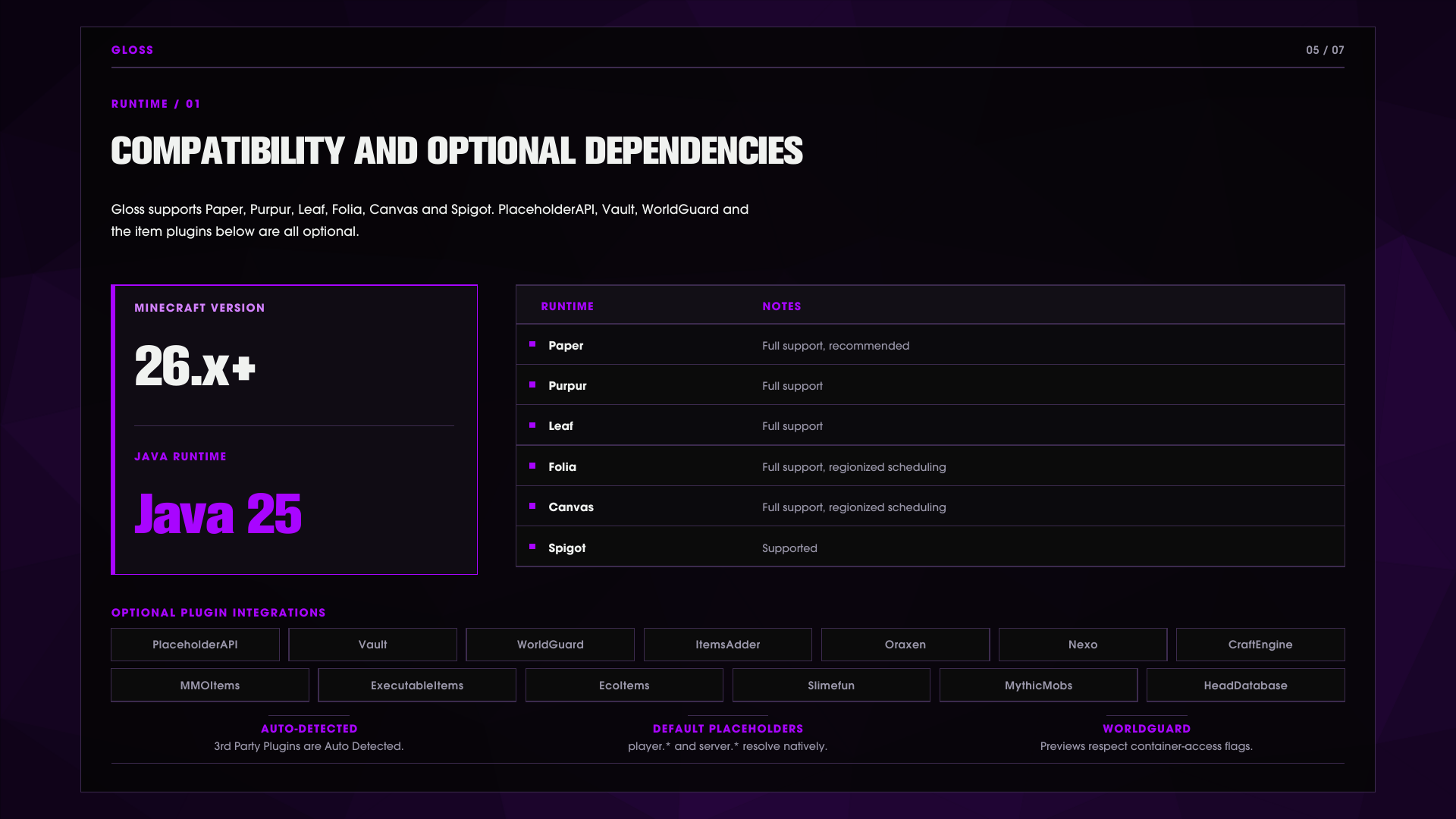
Gloss supports Paper, Purpur, Leaf, Folia, Canvas and Spigot on Java 25 for Minecraft 26.x+
Optional integrations PlaceholderAPI, Vault, WorldGuard, and ten custom-item providers - CraftEngine, ItemsAdder, Oraxen, Nexo, MMOItems, ExecutableItems, EcoItems, Slimefun, MythicMobs, HeadDatabase. Providers are auto-detected and hot plug/unplug with their plugin.
Images & Media


พร้อมที่จะสร้างสิ่งที่น่าทึ่งแล้วหรือยัง?
เข้าร่วมชุมชน MCModels และเริ่มสร้างโปรเจกต์ในฝันของคุณวันนี้
